
Screenshots
App details
- Version
- 1.36
- Size
- 88.65 KB
- Updated
- February 4, 2022
- Requires
- Windows XP
- Language
- English
- License
- Free
- Developer
- NirSoft
- Category
- Windows OS
SoftPas in:
This product is also available in the following languages:
About SiteShoter
Download SiteShoter – Free, Secure Full-Page Website Screenshot Tool for Windows, Mac, Android & iOS
Why SiteShoter Is the Best Tool to Capture Full-Page Websites
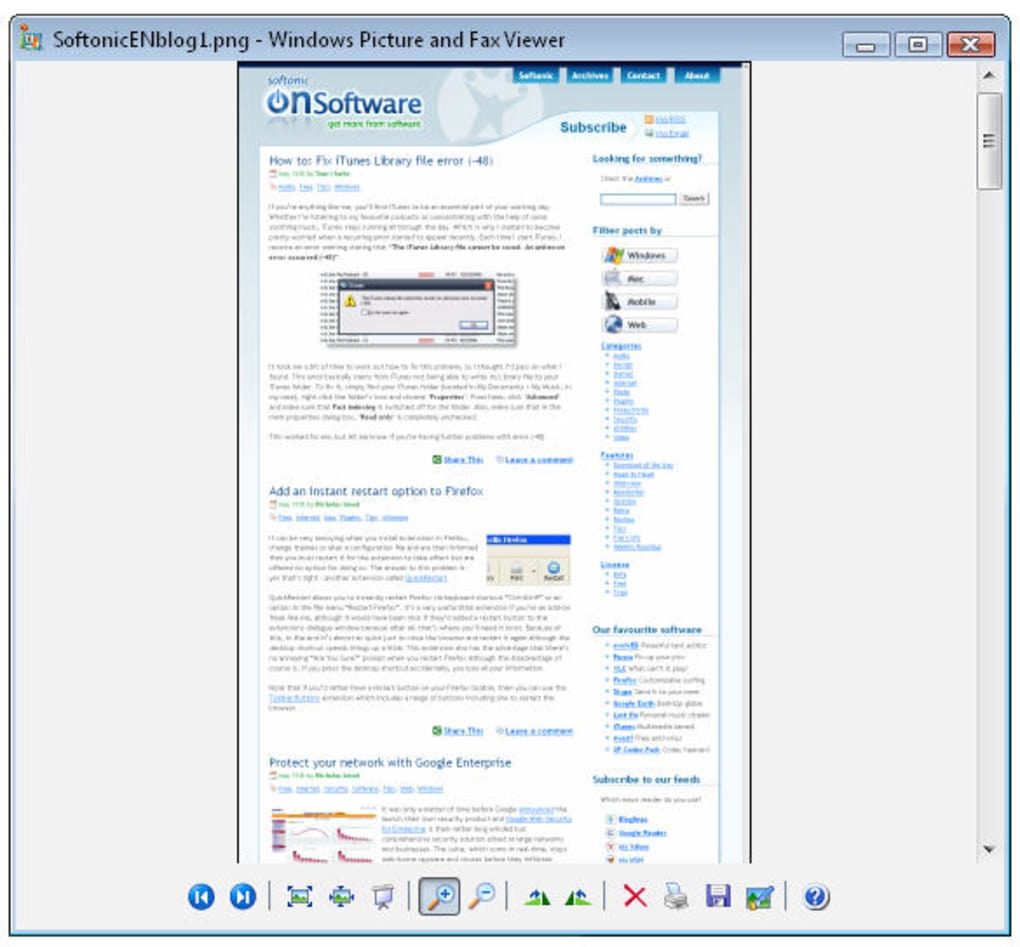
In today’s digital world, capturing a complete website screenshot is more than just a convenience—it’s a necessity. Whether you're a web designer documenting a client’s layout, a marketer archiving campaign pages, or a researcher preserving online content, having a reliable tool to capture entire webpages from top to bottom is essential. Traditional screenshot tools only capture what’s visible on your screen, leaving you with incomplete images that require tedious scrolling and stitching. That’s where SiteShoter steps in as a game-changing solution. This lightweight, standalone application is specifically engineered to capture full webpages, automatically scrolling through long content and stitching it into a single, high-resolution image file. What sets SiteShoter apart is its simplicity and efficiency. You don’t need to install browser extensions or deal with complex workflows. Just enter the URL of the webpage you want to capture, and SiteShoter does the rest. It renders the page exactly as it appears in a browser, respects CSS styling, and captures all dynamic content—including embedded videos, images, and text—ensuring a true-to-life representation. The tool supports multiple image formats, including PNG, JPG, BMP, GIF, and TIFF, giving you flexibility based on your use case. Whether you're preparing a report, creating a portfolio, or archiving digital assets, SiteShoter delivers crisp, professional-quality screenshots without any watermark or branding. Moreover, SiteShoter is built with security and privacy in mind. It operates locally on your device—no data is uploaded to external servers. This makes it ideal for sensitive projects or confidential content. The software is also regularly updated to improve performance, fix bugs, and enhance compatibility with modern web standards, including HTTPS and custom port numbers. With a clean, intuitive interface and no learning curve, SiteShoter is accessible to beginners and powerful enough for professionals. If you're tired of patching together partial screenshots, it’s time to upgrade your workflow with this free, secure, and efficient tool.Key Features and How They Improve Your Workflow
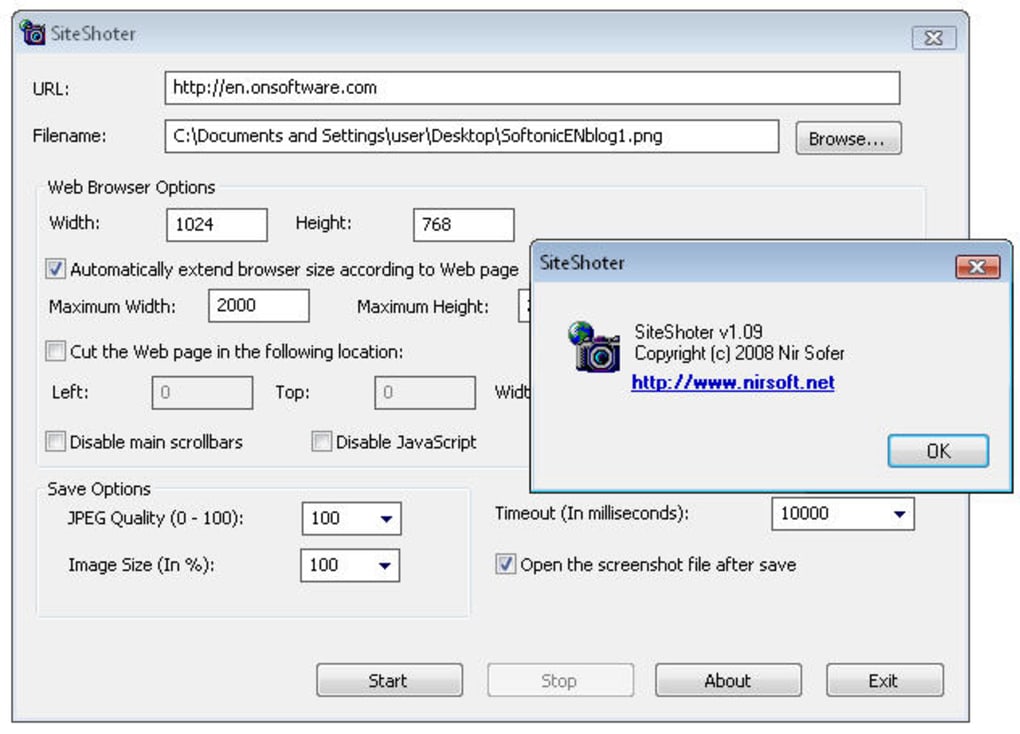
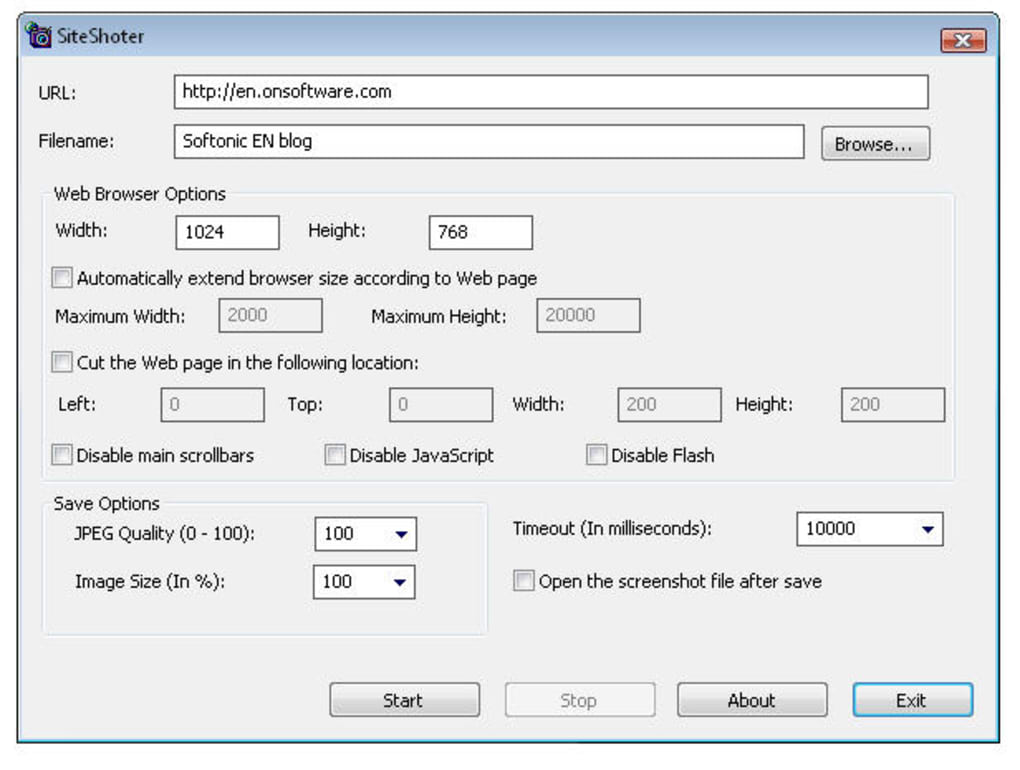
SiteShoter isn’t just about capturing full webpages—it’s about doing it smarter, faster, and with greater control. One of its standout features is the ability to automatically scroll through long webpages and stitch the content seamlessly into a single image. This eliminates the need for manual scrolling, multiple screenshots, and complex post-processing in image editors. Whether you're capturing a 1000px blog post or a 5000px landing page, SiteShoter handles it with precision, ensuring no content is cut off or distorted. Another powerful feature is customizable output settings. You can adjust image quality, dimensions, and file format to match your specific needs. For example, use PNG for lossless quality when archiving design mockups, or JPG for smaller file sizes when sharing via email. You can also set a default output directory, so all your screenshots are saved in a designated folder—great for organizing projects and maintaining consistency. This feature is especially useful for teams or content creators who manage large volumes of web captures. SiteShoter also includes advanced configuration options that let you disable JavaScript, Flash, or specific elements like ads and pop-ups. This is ideal for creating clean, distraction-free captures of websites, particularly when documenting UI/UX layouts or comparing design changes over time. The tool respects your privacy by not sending any data to third parties, and it works offline once installed. Additionally, recent updates have improved performance, fixed bugs related to URL parsing (especially with port numbers), and enhanced support for HTTPS sites—ensuring compatibility with modern, secure websites. For users who need automation, SiteShoter supports batch processing and command-line execution, allowing you to integrate it into scripts or workflows. This makes it a versatile tool for developers, QA testers, and digital archivists. With a minimal footprint and fast rendering speed, SiteShoter runs smoothly even on older machines. Whether you're using it on Windows, Mac, Android, or iOS, the experience remains consistent and reliable.How to Install and Use SiteShoter on Your Device
Getting started with SiteShoter is quick and straightforward. First, visit the official website and download the appropriate version for your operating system—Windows, Mac, Android, or iOS. The download is completely free, and the installer is lightweight, typically under 10MB. Once downloaded, run the installer and follow the on-screen prompts. No additional software or dependencies are required, making the installation process hassle-free. After installation, launch SiteShoter. The interface is clean and minimalistic, featuring a single input field where you can paste the URL of the webpage you want to capture. Click the “Capture” button, and the app will load the page, scroll through it automatically, and generate a full-page screenshot. You’ll see a progress bar indicating the capture process, which typically takes just a few seconds depending on the page’s complexity and your internet speed. Once the screenshot is ready, you’ll be prompted to choose the file format (PNG, JPG, BMP, GIF, or TIFF) and select the save location. You can also adjust image quality and dimensions before saving. For advanced users, the settings menu allows you to disable JavaScript, Flash, or specific page elements to clean up the output. If you frequently capture from the same sites, you can save your preferences for faster future use. For mobile users on Android or iOS, SiteShoter offers a mobile-optimized version that supports touch-based navigation and automatic scrolling. The app is compatible with most modern smartphones and tablets, making it easy to capture responsive web designs on the go. All captured images are stored locally, so you can access them anytime without relying on cloud storage. Regular updates ensure that SiteShoter stays compatible with the latest web standards and device operating systems.Compatibility and System Requirements
SiteShoter is designed to be cross-platform, ensuring broad accessibility across devices. It supports Windows 7 and later (both 32-bit and 64-bit), macOS 10.12 or higher, Android 6.0 and above, and iOS 12 and later. This wide compatibility means you can use the same tool whether you're working on a desktop, laptop, tablet, or smartphone. The software is lightweight, requiring only 50MB of disk space and minimal RAM—making it suitable even for older or low-end devices. The application runs independently without needing a web browser or additional plugins. This standalone nature enhances both performance and security, as no browser extensions are required to function. SiteShoter uses native rendering engines to display and capture web content accurately, ensuring that fonts, colors, and layouts appear exactly as intended. For users managing multiple devices, SiteShoter’s consistent interface and feature set across platforms provide a seamless experience. Whether you're capturing a website on your Mac at home or reviewing a client’s site on your Android tablet during a meeting, the results are reliable and uniform. The tool also supports high DPI displays, ensuring sharp, clear screenshots on Retina and 4K monitors. Regular updates ensure ongoing compatibility with new operating system releases and evolving web technologies. The developers actively monitor user feedback and release patches to fix bugs, improve speed, and enhance security. With support for HTTPS, custom ports, and modern web standards, SiteShoter remains a future-proof choice for anyone needing full-page website captures.Pros and Cons: Is SiteShoter Right for You?
- Pros:
- Effortlessly captures full webpages from top to bottom without manual stitching
- Supports multiple image formats (PNG, JPG, BMP, GIF, TIFF)
- Standalone app—no browser extensions or plugins needed
- High security: all processing happens locally; no data is uploaded
- Customizable settings: adjust quality, size, output folder, and disable JS/Flash
- Regular updates with bug fixes and performance improvements
- Free to download and use with no hidden costs
- Available for Windows, Mac, Android, and iOS
- Cons:
- No built-in annotation or editing tools (you’ll need a separate image editor)
- Advanced automation features require command-line knowledge
- Not ideal for capturing dynamic content that heavily relies on real-time JavaScript
- Mobile version has fewer customization options than desktop
- Doesn’t support saving directly to cloud services
Frequently Asked Questions (FAQ)
Final Verdict: Why You Should Download SiteShoter Today
If you’ve ever struggled to capture a full website screenshot, SiteShoter is the solution you’ve been waiting for. Its ability to render and capture entire webpages—automatically scrolling and stitching content—saves hours of manual work. With support for multiple formats, customizable settings, and robust cross-platform compatibility, it’s a versatile tool for designers, marketers, developers, researchers, and everyday users alike. The software is secure, lightweight, and free—making it one of the best value tools in its category. While it lacks advanced editing features, its core functionality is unmatched for full-page captures. Whether you’re archiving content, creating reports, or documenting digital assets, SiteShoter delivers reliable, high-quality results every time. Don’t waste time stitching screenshots or using unreliable tools. Download SiteShoter today and experience the future of website capture—simple, secure, and effective. Download SiteShoter Now – Free & SecureGuides & Tutorials
How to install SiteShoter
- Click the Download button above.
- Once redirected, accept the terms and click Install.
- Wait for the SiteShoter download to finish on your device.
How to use SiteShoter
This software is primarily used for its core features described above. Open the app after installation to explore its capabilities.
User Reviews
No reviews yet. Be the first to share your experience.
You may also like
more
Llama 2
Free-to-use large language model As the new addition to Meta’s arsenal of langua...

NotebookLM
Revolutionizing the note-taking and idea-generation process NotebookLM is an exp...

Github co pilot
AI-inspired software development and coding platform GitHub Copilot is a browser...

Google Gemma
Google’s lightweight AI models Introducing Google Gemma , a family of cutting-ed...

AI Image Enlarger
A free app for Windows, by ai-image-larger. AI Image Enlarger is a free software...

DALL E
AI-driven text-to-image transformation engine DALL·E is a free graphic and desig...